IPTV Stremio Guide for Streaming Live TV in the US

Edit
Full screen
Delete
iptv stremio
Key Takeaways
- Learn how to consolidate multiple streaming services into one user-friendly interface.
- Understand the basic hardware and software requirements for a stable media center.
- Discover how to access live television content legally and efficiently within the US.
- Improve your overall viewing quality by optimizing your streaming configuration.
- Transform standard devices into high-performance hubs for all your media needs.
Understanding the Basics of IPTV Stremio
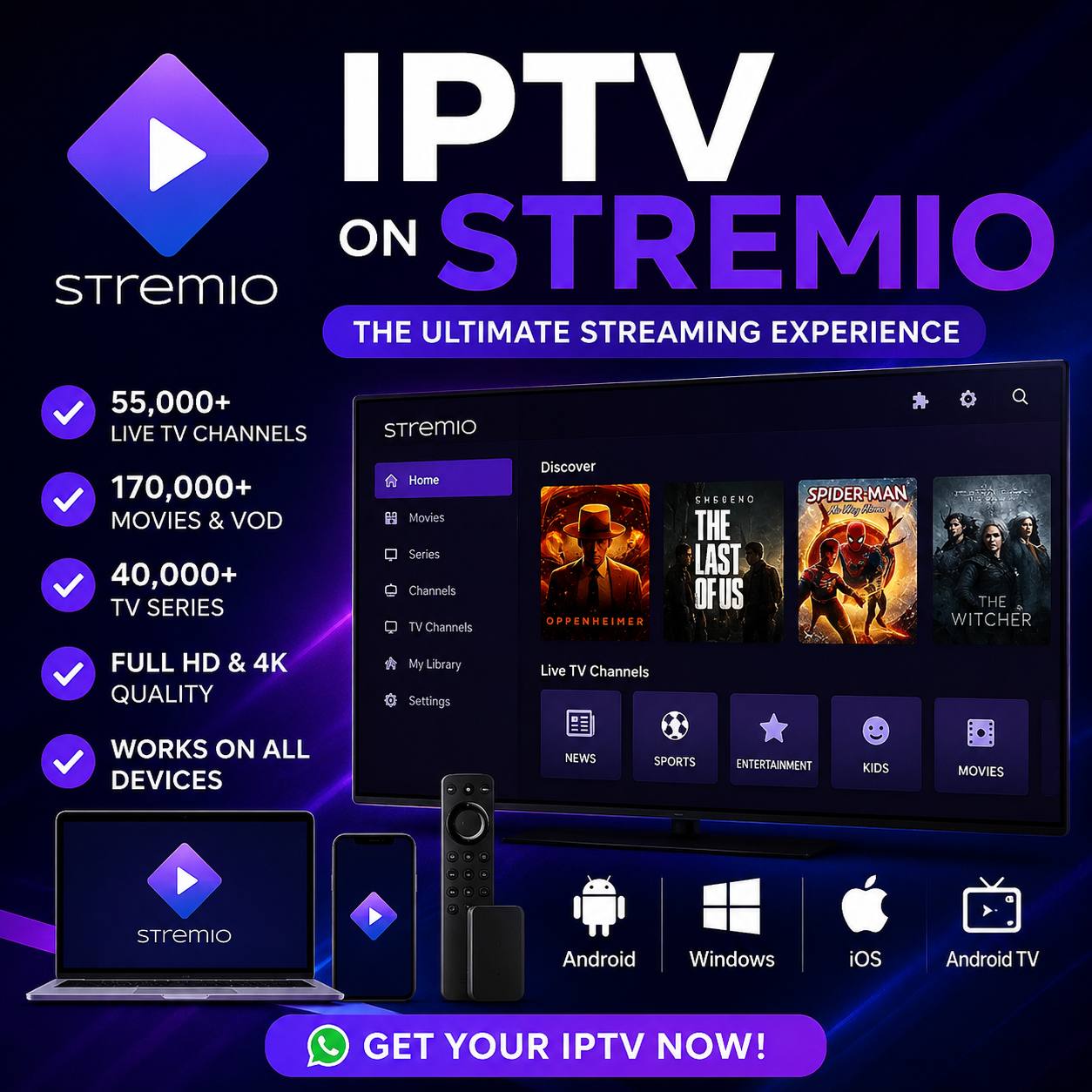
Stremio offers a unique approach to media consumption that differs significantly from standard streaming apps. Rather than forcing you to juggle multiple subscriptions and interfaces, it acts as a centralized hub for all your digital entertainment needs. By using an iptv stremio setup, you can streamline how you access live broadcasts and on-demand content.

Edit
Full screen
Delete
iptv stremio
What is Stremio and How Does It Work?
At its core, Stremio functions as a decentralized media center. It does not host content itself; instead, it aggregates media from various online sources into one clean, user-friendly interface. This architecture allows the software to remain lightweight while providing access to a vast library of global media.
The Role of Add-ons in Stremio
The true power of the platform lies in its modular plugin system. Stremio relies on community-developed add-ons to fetch metadata and stream links directly to your screen. These add-ons are the secret sauce that makes an iptv stremio configuration so effective for modern viewers.
Setting Up Stremio on Your Devices
You can easily transform your hardware into a powerful media hub by following these installation guidelines. A proper initial configuration ensures that your stremio tv software runs smoothly and remains responsive during high-definition playback.

Edit
Full screen
Delete
stremio tv
Installing Stremio on Windows and macOS
Configuring Stremio on Android TV and Fire TV Stick
Most users find that sideloading the official APK is the most reliable method for these platforms. After installation, take a moment to adjust the settings to match your display resolution. This careful setup helps your stremio tv experience remain stable while you browse through various content categories.
| Device Type | Installation Method | Primary Input | Optimization Level |
| Windows/macOS | Official Installer | Mouse/Keyboard | High |
| Android TV | APK Sideload | Remote Control | Medium |
| Fire TV Stick | Downloader App | Remote Control | Medium |
Integrating Live TV into Your Stremio Experience
The Importance of IPTV Add-ons
Understanding M3U Playlists and EPG Data
Equally important is the EPG (Electronic Program Guide) data, which populates your interface with accurate scheduling information. This data allows you to see what is currently airing and what is coming up next on your favorite channels. Without these components, your live tv stremio setup would lack the real-time context required for a modern viewing experience.
| Component | Primary Function | User Benefit |
| M3U Playlist | Channel URL Mapping | Access to live feeds |
| EPG Data | Schedule Metadata | Program information |
| IPTV Add-on | Protocol Parsing | System compatibility |
Selecting the Best IPTV for Stremio
Finding the best iptv for stremio requires a careful look at server reliability and content variety. Because this platform acts as a bridge between your device and external streams, the quality of your experience depends entirely on the provider you select. Making an informed choice ensures that your media library remains stable and responsive during daily use.
Criteria for Choosing a Reliable IPTV Service
Testing the service before committing to a long-term contract is a smart strategy. Most reputable providers offer a short trial period, which allows you to verify if their M3U links are compatible with your specific setup. This step is essential to confirm that the best iptv for stremio meets your performance expectations before you pay for a full subscription.
Evaluating Subscription Plans and Channel Variety
Consider the following factors when comparing different service packages:
- Channel Diversity: Ensure the provider includes your favorite sports, news, and entertainment networks.
- Connection Limits: Check how many devices can stream simultaneously under a single account.
- Update Frequency: A good provider regularly updates their EPG data and channel links to keep the service fresh.
By balancing these features, you can find a service that offers the best value for your home entertainment system. Always prioritize transparency in pricing and clear terms of service to avoid hidden fees or unexpected service interruptions.
Configuring the Xtream Stremio Add-on
If you want to unlock the full potential of your streaming setup, learning how to configure the xtream stremio add-on is essential. This plugin serves as the primary bridge between your professional IPTV service and the intuitive Stremio interface. By following a few simple steps, you can transform your media center into a comprehensive live television hub.
Step-by-Step Installation of the Xtream Codes Add-on
To begin, open the Stremio application on your device and navigate to the Add-ons catalog located in the sidebar. You should search for the official Xtream Codes plugin within the community or official repository lists. Once you locate the correct xtream stremio add-on, click the install button to integrate it into your library.
After the installation completes, the plugin will prompt you to enter your specific provider details. This process ensures that the application can communicate directly with your IPTV server to fetch your channel lists and EPG data. Accuracy is critical during this phase to avoid any connectivity issues later on.
Inputting Your IPTV Credentials Correctly
When prompted, you must input your unique server URL, username, and password provided by your IPTV service. Please double-check every character, as even a minor typo will prevent the channel list from loading. Once you have entered the information, save your settings and restart the application to refresh the content.
If you encounter issues during the setup, refer to the following table to identify potential causes for common credential errors:
| Error Type | Common Cause | Recommended Fix |
| Authentication Failed | Incorrect username or password | Verify credentials in your provider portal |
| Server Unreachable | Typo in the server URL | Check for missing slashes or protocol prefixes |
| Empty Channel List | Expired subscription or API block | Contact your IPTV provider for status |
| Slow Loading | High latency or network congestion | Test your connection or use a VPN |
Optimizing Your Stremio TV Interface
Transforming your viewing experience starts with a well-organized dashboard. When you use stremio tv, you have the power to prioritize live broadcasts over standard on-demand media files. This shift ensures that your most important content remains front and center every time you launch the application.
Customizing the Home Screen for Live TV
Customizing your home screen is a simple way to improve your daily workflow. By pinning your most-watched categories, you ensure that your favorite news or sports channels are always just a click away. This personalized approach saves you time and keeps your interface clean.
You can rearrange your rows to highlight live streams, effectively turning your software into a dedicated broadcast hub. This level of control makes your stremio tv setup feel much more like a traditional cable box. It removes the need to scroll through endless menus to find what you want to watch.
Managing Your Favorite Channels and Categories
Effective management of your channel lists helps reduce digital clutter and improves the overall speed of the application. When you organize your favorites, you create a streamlined environment that focuses only on the content you actually enjoy. This strategic organization is vital for maintaining a high-performance streaming setup.
Consider the following table to understand how different organization methods impact your user experience:
| Organization Method | Primary Benefit | User Impact |
| Category Pinning | Quick Access | High Efficiency |
| Favorite Sorting | Reduced Clutter | Improved Speed |
| Row Customization | Visual Clarity | Better Navigation |
By regularly auditing your channel lists, you ensure that your stremio tv experience remains fluid and responsive. Removing inactive or unwanted links prevents the system from loading unnecessary data. This simple maintenance habit is the best way to keep your media center running smoothly for years to come.
Enhancing Streaming Quality and Performance
Maintaining a high-quality stremio iptv service depends on how well you configure your hardware. When your software settings align with your device capabilities, you eliminate common playback issues. This balance ensures that your media player runs efficiently without straining your system resources.
Adjusting Hardware Acceleration Settings
Hardware acceleration is a vital feature for users who want to improve video decoding performance. By enabling this setting, you allow your device’s GPU to handle the heavy lifting of video processing. This process offloads tasks from the CPU, which is especially helpful for users on lower-powered streaming sticks or older computers.
You can typically find this option within the playback settings menu of your application. Enabling this feature often results in smoother frame rates and fewer stutters during live broadcasts. If you experience visual artifacts, you may need to toggle this setting off to see if your specific hardware prefers software-based decoding.
Managing Cache and Storage for Smooth Playback
Managing your cache is essential for keeping your stremio iptv service running at peak performance. Over time, temporary files can accumulate and consume valuable storage space on your device. Regularly clearing these files prevents the application from slowing down or crashing during long viewing sessions.
You should also consider adjusting the cache size limit in the settings menu to match your available storage. A smaller cache is better for devices with limited internal memory, while a larger cache can provide a buffer for unstable internet connections. Keeping your storage clean ensures that your media library remains responsive and quick to load.
| Optimization Task | Benefit | Recommended Action |
| Hardware Acceleration | Reduces CPU load | Enable for most devices |
| Cache Management | Prevents lag | Clear cache monthly |
| Storage Limits | Saves disk space | Set to 2GB – 5GB |
| Playback Quality | Better visuals | Match to screen resolution |
By following these simple maintenance steps, you ensure that your stremio iptv service remains reliable and fast. Consistent adjustments to your settings will provide a superior viewing experience for all your favorite live channels.
Legal Considerations and Safety for US Users
When you use a stremio iptv service, staying informed about US copyright laws is essential for your protection. Navigating the digital landscape requires a clear understanding of the legal implications tied to streaming third-party content. Users must recognize that accessing copyrighted material without proper authorization can lead to significant legal risks within the United States.
Understanding Copyright Laws in the United States
Copyright law in the US is designed to protect creators and distributors of original content. When you stream media through unofficial channels, you may inadvertently access content that has not been licensed for public distribution. It is vital to verify the source of your streams to ensure you are not violating intellectual property rights.
Engaging with unauthorized platforms can expose your personal data and lead to potential notices from your Internet Service Provider (ISP). Staying compliant with local regulations helps maintain a secure and worry-free entertainment environment. Always prioritize platforms that respect digital rights and licensing agreements.
The Role of VPNs in Protecting Your Privacy
Many users employ a Virtual Private Network (VPN) to encrypt their internet traffic and mask their IP address from their ISP. Utilizing a reputable VPN is a standard practice for those who prioritize digital privacy and wish to secure their stremio iptv service connection. By routing your data through a secure server, you add a necessary layer of anonymity to your online activities.
A high-quality VPN prevents your ISP from monitoring your specific streaming habits or throttling your connection speed. This tool is essential for anyone looking to maintain control over their personal information while using a stremio iptv service. Consider the following table to understand how different security measures impact your streaming experience.
| Security Feature | Purpose | Benefit for Users |
| VPN Encryption | Secures data packets | Prevents ISP tracking |
| IP Masking | Hides location | Enhances digital privacy |
| Kill Switch | Blocks connection | Prevents data leaks |
| No-Logs Policy | Privacy guarantee | Ensures anonymity |
Troubleshooting Common Stremio IPTV Issues
Even the most reliable streaming setups can occasionally run into technical hurdles. When you encounter problems with your xtream stremio configuration, a systematic approach often saves time and frustration. Most errors stem from simple network congestion or outdated software rather than complex system failures.
Fixing Buffering and Connection Errors
Persistent buffering is usually a sign that your internet connection is struggling to keep up with high-definition streams. First, verify your current bandwidth to ensure it meets the requirements for live television. If your speed is sufficient, the issue might lie with the server location of your xtream stremio provider.
Switching to a different server location can often provide an immediate fix for connection drops. Additionally, double-check that your subscription credentials are entered correctly, as expired or mistyped login details frequently trigger authentication errors. Keeping your network stable is the best way to ensure uninterrupted playback.
“Technology is best when it brings people together, but it works best when it is maintained with patience and a clear understanding of the basics.”
— Digital Streaming Expert
Resolving Add-on Installation Failures
If you find that an add-on fails to install, the most common culprit is an outdated client version. Always ensure your Stremio application is updated to the latest release to maintain compatibility with modern plugins. Outdated software often creates unexpected conflicts that prevent new features from functioning correctly.
If the problem persists after an update, try clearing the application cache to remove corrupted temporary files. This simple step often resolves hidden errors that block successful installations. Refer to the table below for a quick summary of common issues and their typical solutions.
| Issue Type | Primary Cause | Recommended Action |
| Buffering | Network Congestion | Check speed or change server |
| Login Error | Invalid Credentials | Re-enter username and password |
| Installation Fail | Outdated Client | Update to the latest version |
| Black Screen | Cache Corruption | Clear app cache and restart |
Advanced Tips for the Ultimate Stremio IPTV Service
Taking your streaming setup to the next level requires a few strategic adjustments for power users. By moving beyond the basic interface, you can unlock a more robust and personalized media solution. These tweaks ensure that your live tv stremio experience remains smooth and highly responsive regardless of your hardware.
Using External Players like VLC or MX Player
While the built-in player is convenient, power users often prefer external options for better codec support. Applications like VLC or MX Player provide advanced playback controls that the default player lacks. These tools handle high-bitrate streams with greater efficiency, which is vital for maintaining quality during live tv stremio broadcasts.
Integrating these players allows you to bypass common playback errors. You gain access to hardware acceleration settings that reduce stuttering and improve overall visual fidelity. This simple change transforms how your device processes complex video data.
| Feature | Internal Player | External Player (VLC/MX) |
| Codec Support | Basic | Extensive |
| Playback Controls | Standard | Advanced/Customizable |
| Hardware Acceleration | Limited | Optimized |
| Performance | Moderate | High-Bitrate Ready |
Syncing Your Library Across Multiple Devices
Consistency is the hallmark of a great media setup. Syncing your library ensures that your favorite channels and settings remain identical whether you are watching on a tablet, phone, or television. This seamless integration saves you time by keeping your preferences updated in real-time across all platforms.
By maintaining a unified account, you avoid the frustration of reconfiguring your channels on every new device. This approach creates a highly personalized environment that follows you wherever you go. Ultimately, these advanced configurations turn a standard installation into a professional-grade home entertainment system for your live tv stremio needs.
Comparing Stremio with Dedicated IPTV Apps
When you start looking for the best iptv for stremio, you quickly realize that not all streaming applications are built the same way. While some platforms focus exclusively on live broadcasts, others aim to provide a complete entertainment ecosystem. Understanding these differences is essential for building a setup that fits your personal viewing habits.
Stremio vs. TiviMate and IPTV Smarters
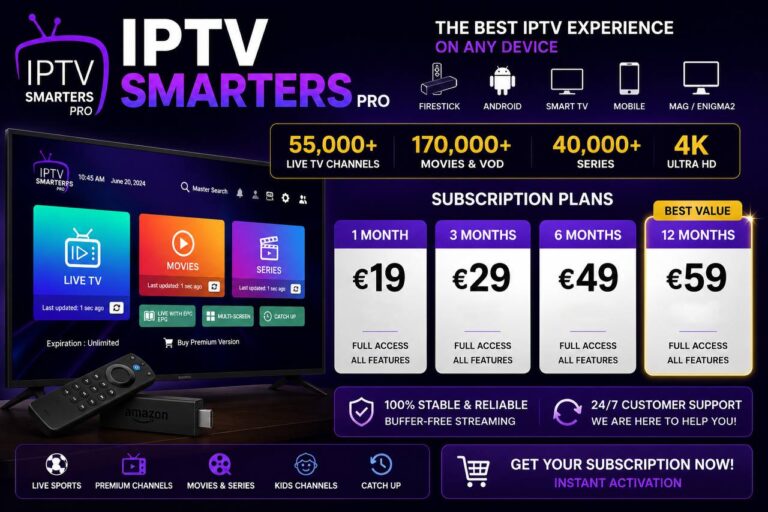
Dedicated apps like TiviMate and IPTV Smarters are engineered specifically for the live television experience. They offer robust features such as advanced EPG management, multi-screen viewing, and native recording capabilities that cater to traditional cable-cutters. These apps prioritize channel navigation and stability for live streams above all else.
In contrast, Stremio functions as a versatile media hub that integrates live TV alongside your favorite movies and series. While it may lack some of the granular recording controls found in dedicated players, it excels at unifying your digital library. Choosing the best iptv for stremio often comes down to whether you prefer a specialized tool or a consolidated dashboard.
| Feature | Stremio | Dedicated IPTV Apps |
| Primary Focus | Unified Media Library | Live TV Broadcasts |
| EPG Support | Basic/Add-on dependent | Advanced/Native |
| Recording | Limited | Highly Advanced |
When to Choose Stremio Over Traditional Apps
You should consider Stremio if you value a streamlined, all-in-one interface that keeps your entire collection in one place. It is the ideal solution for users who want to switch between live sports and on-demand content without jumping between different applications. This convenience makes it a top contender for those who prioritize simplicity and design.
Consider these advantages when deciding on your setup:
- Unified Library: Access movies, shows, and live channels in one sleek interface.
- Cross-Platform Sync: Keep your progress saved across all your devices seamlessly.
- Community Add-ons: Expand your content reach through a vast ecosystem of user-created plugins.
Ultimately, if your goal is to consolidate your digital entertainment, Stremio remains the superior choice. While dedicated apps serve a specific purpose for heavy live TV users, Stremio offers the flexibility that modern streamers demand. Finding the best iptv for stremio allows you to enjoy a modern, clutter-free viewing experience every single day.
Conclusion
FAQ
What is IPTV Stremio and how does it work for live broadcasts?
How do add-ons enable live TV Stremio functionality?
Can I install Stremio TV on devices like the Fire TV Stick or Android TV?
How do I configure the Xtream Stremio add-on with my service credentials?
To use the Xtream Stremio add-on, you must install the plugin from the community catalog and input the specific credentials provided by your Stremio IPTV service. This typically includes a unique server URL, your username, and your password. Accurate entry is vital for the add-on to authenticate and load your channel list correctly.
What should I look for when choosing the best IPTV for Stremio?
Why is my Stremio IPTV service buffering, and how can I fix it?
Is it necessary to use a VPN with Stremio in the United States?
While not a technical requirement for the app to function, many users in the US utilize a VPN to protect their digital privacy. A VPN encrypts your internet traffic and masks your IP address from your ISP, which is a standard safety practice when accessing various streaming sources to ensure your connection remains private and secure.
Can I use external players like VLC or MX Player with Stremio?
Yes, for a more robust live TV Stremio experience, you can set the application to use external players such as VLC or MX Player. These players often provide better codec support and advanced playback controls, which can be particularly useful for handling high-bitrate live streams that the default player might struggle with.
How does Stremio compare to dedicated apps like TiviMate or IPTV Smarters?
While TiviMate and IPTV Smarters are specialized for live television with advanced EPG and recording features, Stremio offers a more versatile, all-in-one media solution. Stremio is the preferred choice for users who want to consolidate their live channels, movies, and TV shows into a single, sleek dashboard rather than using multiple separate applications.